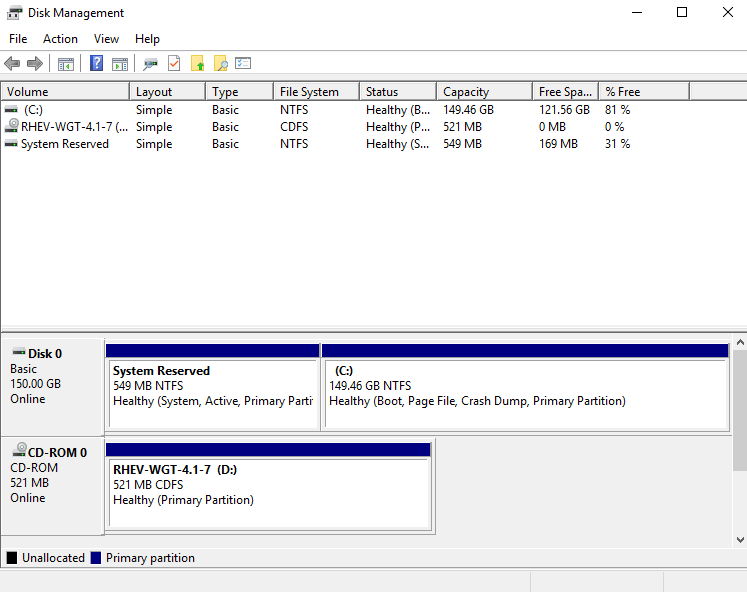
How to Add Disks?
After adding a block device for the VM, you need to create a partition and format it into the required file system.
-
Start(starting from 8 version- right click on the start icon) → Run →diskmgmt.msc. -
Initialize Disk → Select the new disk and the required partition table →
OK: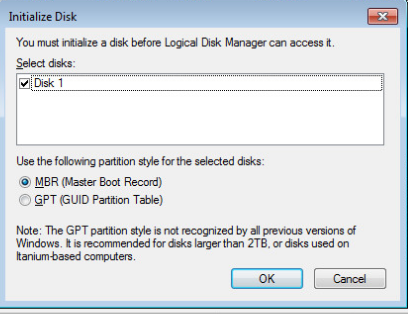
-
Right-click on unallocated disk space ->
New Simple Volume...: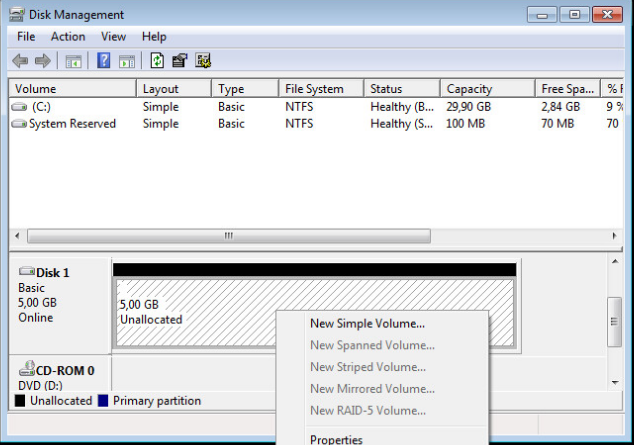
Then set the size, letter, and file system of the new partition.
How to Extend a Drive?
First of all, the VM must be turned off. Then you need to contact the support to add unallocated space for a specific disk.
After the support team has allocated additional space, you can attach it to the disk needed by following the steps below:
-
Start→Run→ enterdiskmgmt.msc: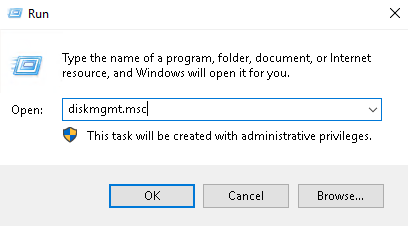
-
Proceed to
Disk management: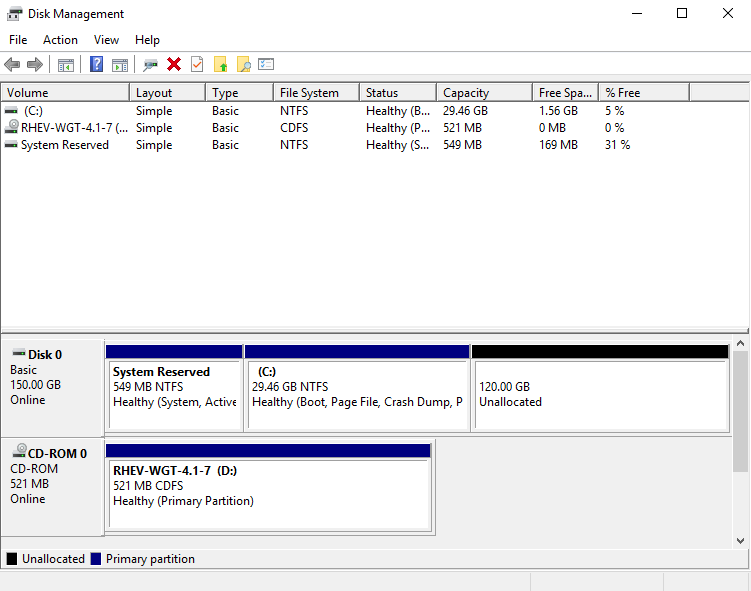
-
Right-click on drive C:, click
Extend Volume...: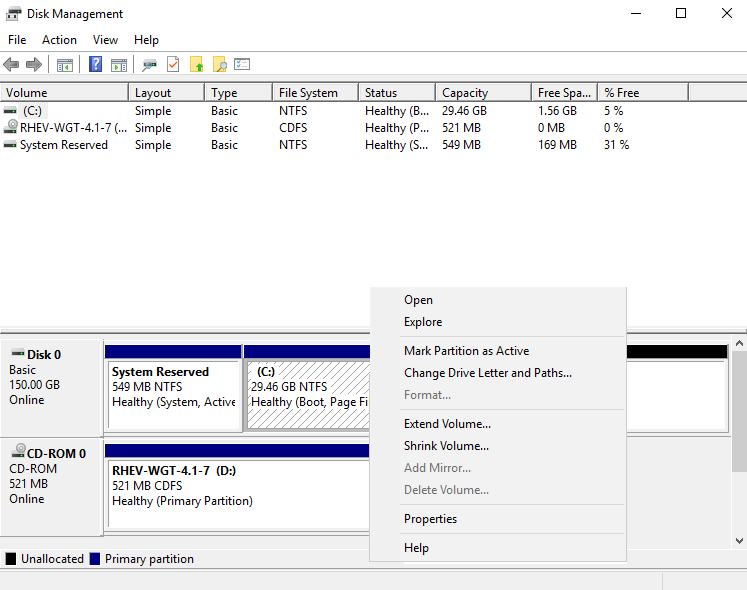
-
Next- opening of Volume Wizard: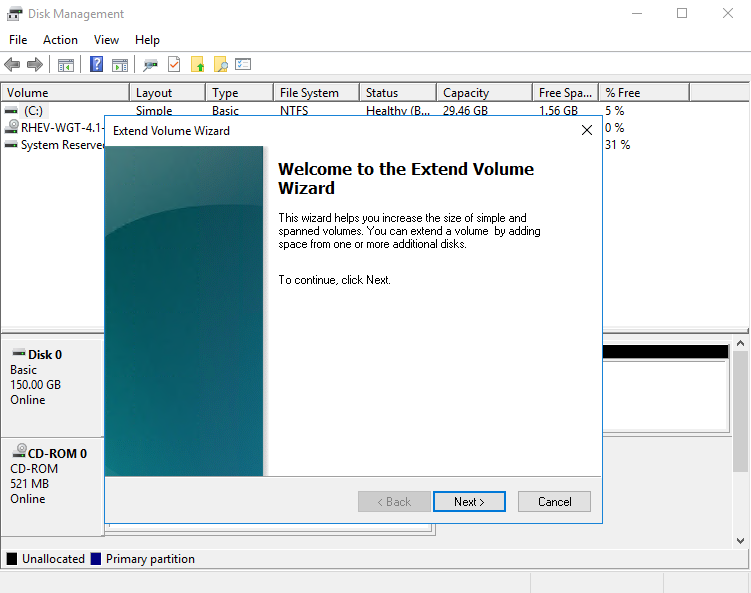
-
Next- expanding of disk space: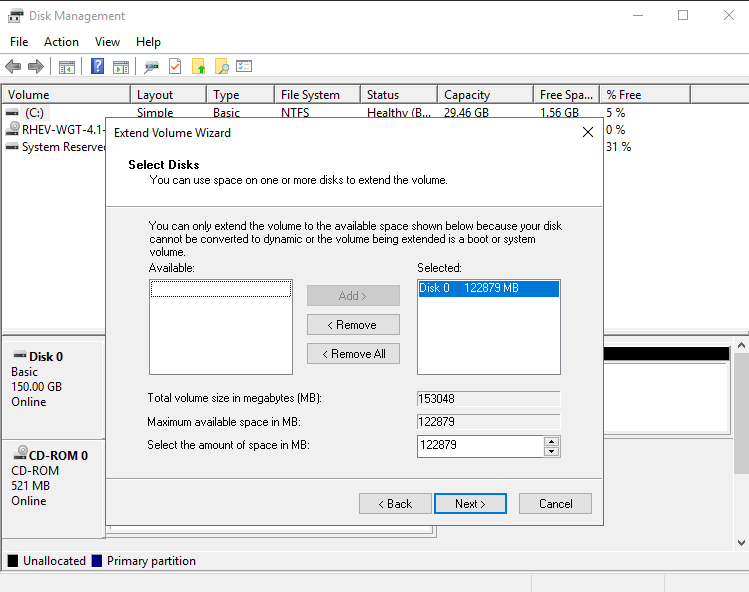
-
Finish- end of working with Volume Wizard: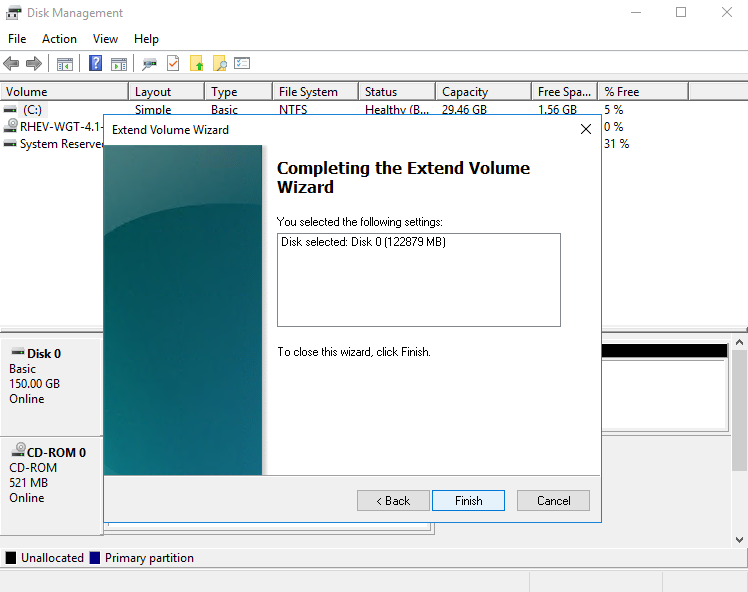
-
The disk was extended. The result will be shown in the
Disk Managementwindow: